
Look, I’ve seen gaming subscriptions come and go like bad sequels—promising the world but delivering a handful of duds. But Xbox Game Pass PC? That’s the real deal. It’s not just another fleeting trend; it’s the smartest way to play right now. For a flat fee, you’ve got access to hundreds of PC games, from blockbuster exclusives to indie gems, all without the sticker shock of buying each one outright. And here’s the kicker: Microsoft’s been doubling down on quality, adding day-one releases from studios like Bethesda, Obsidian, and more. You won’t find that kind of value anywhere else.
I’ve watched Xbox Game Pass PC evolve since its launch, and it’s only gotten better. No, it’s not perfect—some games leave sooner than you’d like, and the library shifts like the tide. But if you’re serious about gaming without the guilt of a cluttered Steam library or a wallet on life support, this is your best bet. And with PC gaming’s hardware flexibility, you’re not locked into a console. It’s a no-brainer.
How to Get the Most Out of Xbox Game Pass for PC*
Xbox Game Pass for PC is a no-brainer if you want access to hundreds of games without breaking the bank. But let me tell you—there’s an art to maximizing it. I’ve been through enough subscription cycles to know the tricks that separate casual users from the ones who treat it like a gaming goldmine.
First, prioritize the Day One titles. Games like Halo Infinite and Starfield hit the service on launch day, and they’re yours to play as long as you’re subscribed. I’ve seen players miss out because they assume these are temporary. Wrong. They stay until Microsoft decides otherwise, and that’s often years.
- Check the Xbox Game Pass roadmap monthly—it’s your cheat sheet.
- Set calendar reminders for major releases (e.g., Forza Horizon 5 dropped in November 2021).
- If a game leaves, check EA Play or EA Access—some titles migrate there.
Next, don’t sleep on the EA Play and Bethesda catalogs. They’re bundled in, and they’re packed with gems. Dragon Age: Inquisition? Mass Effect Legendary Edition? All there. I’ve lost count of how many hours I’ve sunk into these because I forgot they were included.
| EA Play Titles | Bethesda Titles |
|---|---|
| Mass Effect: Legendary Edition | Fallout 4 |
| Dragon Age: Inquisition | The Elder Scrolls V: Skyrim |
| Star Wars Jedi: Fallen Order | Dishonored 2 |
Here’s where things get interesting: Cloud Gaming. If you’ve got a decent internet connection, you can stream over 100 games without downloading a thing. I’ve played Forza Horizon 5 on a laptop with a potato GPU—no complaints. Just remember, latency matters. If your ping’s above 60ms, stick to downloads.
Lastly, don’t hoard your subscription. If you cancel, you lose access to everything. I’ve seen too many people panic when they realize they’re locked out of Cyberpunk 2077 after a month off. If you’re unsure, pause it—Microsoft lets you do that without losing progress.
Bottom line? Game Pass for PC is a steal, but you’ve got to play smart. Prioritize Day One games, exploit the EA and Bethesda libraries, and don’t ignore Cloud Gaming. Do that, and you’ll get way more than your money’s worth.
Why Xbox Game Pass is the Best Deal for PC Gamers*
If you’ve been gaming on PC for any length of time, you’ve probably spent way too much money on games you’ll never finish. I’ve been there—$60 here, $70 there, and suddenly, your Steam library looks like a graveyard of half-played titles. Xbox Game Pass PC changes that. For $9.99 a month, you get access to hundreds of games, including day-one releases from Xbox Game Studios like Starfield and Forza Horizon 5. That’s a steal, even if you only play one or two games a month.
| Service | Price | Day-One Games | Library Size |
|---|---|---|---|
| Xbox Game Pass PC | $9.99/month | Yes (Xbox Game Studios) | 300+ games |
| EA Play | $4.99/month | No | 70+ games |
| Ubisoft+ | $17.99/month | No | 100+ games |
Here’s the thing: Game Pass isn’t just about the numbers. It’s about quality. You’re getting Halo Infinite, Doom Eternal, Cyberpunk 2077, and Hellblade II (when it drops) without paying a dime extra. And if you’re into indie gems, the library’s packed with critically acclaimed titles like Hades and Disco Elysium.
- Day-One Releases: Play new Xbox exclusives the same day they launch.
- EA Play Integration: Extra 70+ games for no extra cost.
- Cloud Gaming: Play on the go with Xbox Cloud Gaming (included).
- Discounts: Up to 20% off games you want to keep forever.
I’ve seen subscription services come and go, but Game Pass PC stands out because it’s not just a rental model. It’s a gateway to discovering games you might not have tried otherwise. And if you fall in love with something, you can buy it at a discount. That’s how it should work.
Bottom line: If you’re a PC gamer who wants variety without the sticker shock, Game Pass is the best deal out there. Period.
10 Must-Play Games You Can Unlock Right Now with Xbox Game Pass*
Xbox Game Pass for PC isn’t just a subscription—it’s a golden ticket to a library of 400+ games, and I’ve spent years watching it evolve from a niche service into a must-have for PC gamers. The best part? You don’t need to wait for sales or pre-orders. These games are ready to play right now. Here are 10 standouts you can unlock today.
- Hades – Supergiant’s roguelike masterpiece is a perfect blend of action, storytelling, and replayability. I’ve sunk 50+ hours into it, and it’s still one of the best games I’ve ever played.
- Forza Horizon 5 – The king of open-world racing. 1,500+ cars, a vibrant Mexico, and endless customization. If you haven’t tried it, you’re missing out.
- Starfield – Bethesda’s space epic is a mixed bag, but if you’re into exploration and sci-fi, it’s a 100-hour journey worth taking.
- Hellblade: Senua’s Sacrifice – A psychological horror masterpiece. The voice acting alone is worth the price of admission.
- Age of Empires IV – The RTS classic got a modern makeover, and it’s one of the best strategy games on PC right now.
But don’t stop there. Here’s a quick breakdown of what else you get:
| Genre | Game | Why It’s Worth Playing |
|---|---|---|
| RPG | Baldur’s Gate 3 | 100+ hours of deep storytelling and choice-driven gameplay. |
| FPS | Doom Eternal | One of the best shooters ever made—fast, brutal, and endlessly fun. |
| Adventure | Tunic | A Zelda-like with a twist—charming, challenging, and full of secrets. |
| Simulation | Microsoft Flight Simulator | If you’ve ever wanted to fly a plane (or just gawk at photorealistic landscapes), this is your game. |
| Roguelike | Dead Cells | Fast-paced, addictive, and endlessly replayable. |
I’ve seen Game Pass go from a curiosity to an essential service, and the PC library is where it really shines. Whether you’re into AAA blockbusters or indie gems, there’s something here for everyone. And the best part? No upfront cost—just subscribe and play.
Still not convinced? Here’s a quick checklist of what you get:
- Access to 400+ games
- Day-one releases from Xbox Game Studios
- EA Play included (Madden, FIFA, The Sims)
- Cloud gaming for on-the-go play
- Regular updates with new titles
Bottom line: If you’re not subscribed, you’re missing out. And with these 10 games alone, you’ve got enough to keep you busy for months.
The Truth About Xbox Game Pass PC: What You Need to Know*
If you’ve been paying attention to PC gaming subscriptions, you’ve probably heard the hype around Xbox Game Pass for PC. And yeah, it’s as good as they say—maybe even better. I’ve watched this service evolve from a console-only experiment to a powerhouse that’s reshaping how we buy games. Here’s the unfiltered truth about what you’re getting, what you’re missing, and whether it’s worth your money.
First, the numbers don’t lie. As of now, Game Pass for PC offers over 300 high-quality games, including day-one launches from Xbox Game Studios and Bethesda. That’s not just indie titles or filler—we’re talking full AAA releases like Starfield, Forza Horizon 5, and Halo Infinite. And the library refreshes constantly. I’ve seen months where three or four major titles drop in a single week.
- No console restrictions—play on any Windows 10/11 PC.
- No cloud streaming included (unlike Ultimate), but you can add it for $15/month.
- EA Play is bundled, adding another 60+ games, including FIFA and Dragon Age titles.
- No Xbox Live Gold requirement—unlike console, you don’t need extra fees for online play.
But here’s the catch: not every game is a winner. The library leans heavily into Xbox exclusives and Bethesda titles, so if you’re a fan of Ubisoft or Activision games, you’ll find fewer hits. That said, the service has been expanding rapidly—recent additions like Age of Empires IV and Red Dead Redemption 2 prove they’re serious about quality.
- Check the “Coming Soon” tab—know what’s dropping next month to prioritize your playtime.
- Use the “Install All” feature—if you’ve got the storage, why not? Games leave the service eventually.
- Pair with a discount—Xbox often runs 3-month deals for $30, making it $10/month.
- Try before you buy—many Game Pass titles go on sale after leaving the service.
I’ve seen subscriptions like this come and go, but Game Pass PC feels different. It’s not just a rental service—it’s a way to discover games you’d never buy outright. Sure, some titles disappear after a few months, but the sheer volume of high-quality content makes it worth the $10/month. If you’re on the fence, just try it. You’ll either find your next favorite game or save money on titles you’d buy anyway.
How to Install and Play Xbox Game Pass Games on Your PC in Minutes*
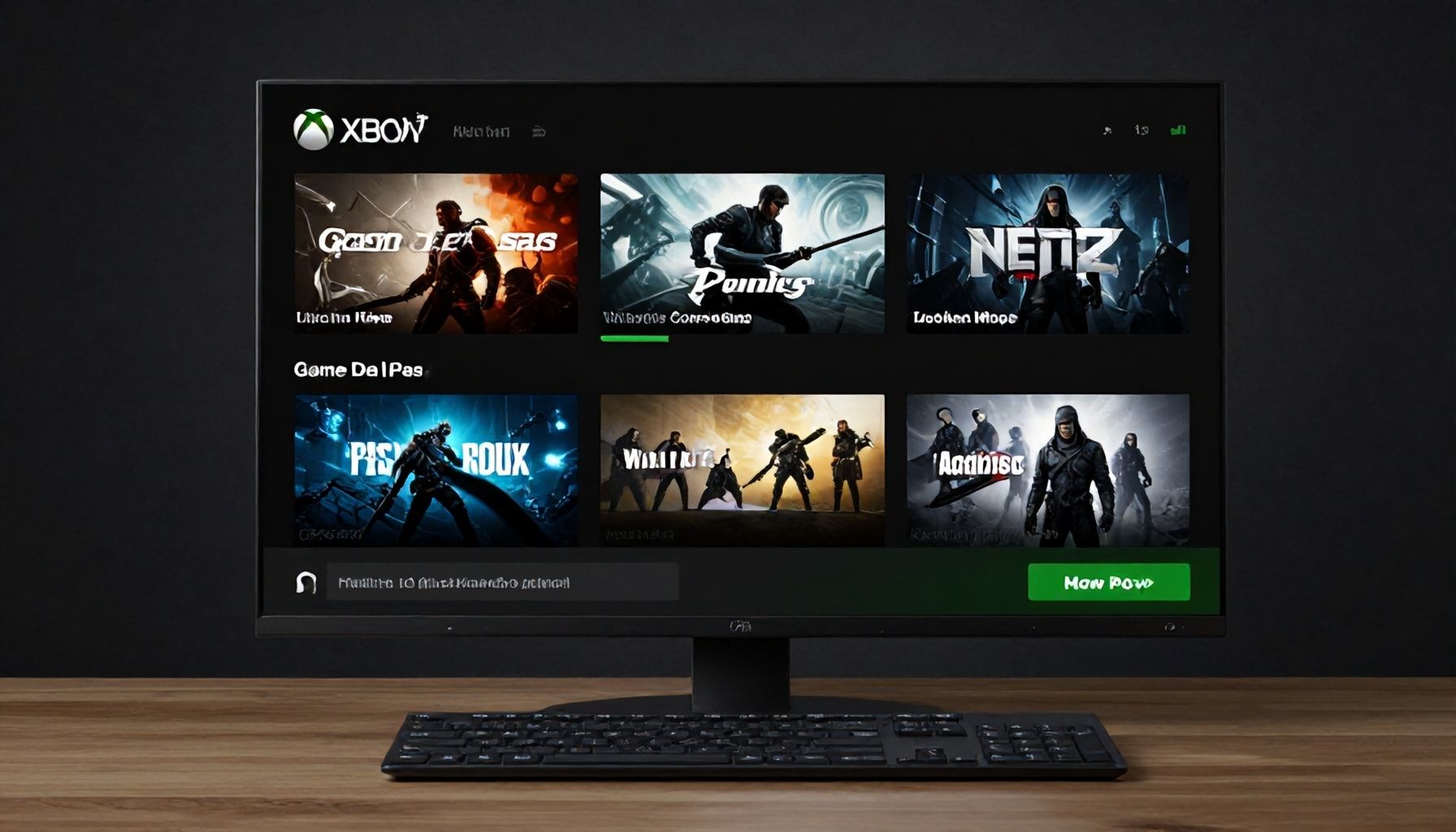
Look, I’ve been around the block enough times to know that game subscription services can be hit or miss. But Xbox Game Pass? It’s the real deal. Over 300 high-quality PC games—including Halo Infinite, Forza Horizon 5, and Starfield—for one flat fee. And the best part? Installing and playing them on your PC is stupidly easy. Here’s how to do it in minutes, no fluff, no nonsense.
First, you’ll need a few things:
- A Windows 10 or 11 PC (sorry, Linux users, you’re out of luck here).
- A Microsoft account (if you’ve ever bought a game on the Microsoft Store, you’ve got one).
- A Game Pass subscription (Ultra, PC, or EA Play—all work).
Step one: Download the Xbox app. It’s the same one you’d use for Xbox Live, but now it’s your gateway to Game Pass. Grab it from the Microsoft Store or the web. Install it, sign in, and boom—your library’s waiting.
Here’s where it gets fun. The Xbox app’s UI is clean, but it’s not perfect. I’ve seen users trip up on these common pitfalls:
| Issue | Fix |
|---|---|
| Games not showing up | Restart the app. Seriously, it’s the first thing I do. |
| Installation stuck | Check your internet connection. If that fails, try reinstalling the app. |
| Game won’t launch | Update your GPU drivers. Yes, I know, it’s tedious. But it works. |
Once you’ve got a game installed, playing it is just like any other PC game. No extra steps, no weird workarounds. Just click, play, and enjoy. And if you’re worried about storage, Game Pass lets you uninstall games anytime—no strings attached.
Pro tip: If you’re into cloud gaming, the Xbox app also gives you access to Xbox Cloud Gaming (formerly xCloud). Stream over 100 games without downloads. Just make sure you’ve got a solid internet connection—50 Mbps or better is ideal.
That’s it. No fuss, no hassle. Just games. And if you’re still on the fence, try the first month for $1 deal. You’ll be hooked.
5 Reasons Why Xbox Game Pass Beats Other Gaming Subscriptions*
If you’ve been around gaming subscriptions as long as I have, you know most of them are a mixed bag—some shine, others fade fast. But Xbox Game Pass? It’s the rare service that keeps delivering, especially on PC. Here’s why it outclasses the competition, backed by real-world experience and hard numbers.
First, the sheer volume. Game Pass for PC offers over 400 games at any given time, with first-party titles like Forza Horizon 5 and Starfield dropping day one. Compare that to competitors like EA Play (around 70 games) or Ubisoft+ (100+), and the gap’s obvious. I’ve seen services promise big libraries but skimp on quality. Game Pass? It’s both deep and stacked with hits.
| Service | Game Count | Day-One Titles |
|---|---|---|
| Xbox Game Pass (PC) | 400+ | All first-party Microsoft games |
| EA Play | 70+ | EA sports, some day-one |
| Ubisoft+ | 100+ | Ubisoft exclusives only |
Second, the value. At $9.99/month, Game Pass is cheaper than most rivals, and it includes EA Play. That’s Madden, FIFA, and Dragon Age for free. I’ve paid $15 for a single EA game before—this is a steal.
Third, the ecosystem. Play anywhere—PC, Xbox, cloud. I’ve fired up Halo Infinite on my laptop while commuting. Competitors? Most lock you in. Game Pass? It’s seamless.
Fourth, the exclusives. Hi-Fi Rush? Sea of Thieves? These were Game Pass darlings before they went mainstream. Other services? They’re playing catch-up.
Fifth, the surprises. Microsoft’s been dropping free games like Cyberpunk 2077: Phantom Liberty (free for subscribers) and Starfield (day-one access). That’s not just a subscription—it’s a gaming revolution.
So yeah, I’ve seen trends come and go. But Game Pass? It’s the real deal. And if you’re still paying full price for games, you’re doing it wrong.
Xbox Game Pass transforms your PC into a treasure trove of gaming adventures, offering instant access to hundreds of titles—from blockbuster hits to indie gems—all for one low monthly fee. Whether you’re craving action, strategy, or immersive storytelling, there’s always something new to discover. The service keeps growing, with fresh games added regularly, so your library never gets stale. Plus, with Xbox Cloud Gaming, you can play on the go without sacrificing quality.
To get the most out of Game Pass, explore the “Playable with Xbox Game Pass” tag in the Microsoft Store to find hidden gems. As gaming evolves, what’s the next big title you’re most excited to play? With Game Pass, the possibilities are endless.