
I’ve been covering kids’ games for longer than some of these platforms have been around, and let me tell you—free games for kids aren’t just a trend. They’re a lifeline for parents, teachers, and anyone who’s ever heard the dreaded “I’m boooored” at 7:00 AM on a Saturday. The best ones don’t just kill time; they sneak in learning without the kids realizing it. Over the years, I’ve seen flashy apps come and go, but the ones that stick? They’re the ones that balance fun with substance, whether it’s puzzles that sharpen logic or creative tools that let kids build their own worlds.
The beauty of free games for kids is that they level the playing field. No subscription fees, no hidden costs—just pure, unfiltered play. But here’s the thing: not all free games are created equal. Some are glorified ads, others are so basic they’ll be abandoned in five minutes. The good ones? They’re designed by people who actually understand how kids think. They’re the kind of games that make a 6-year-old forget to ask for screen time because they’re too busy solving a mystery or designing a rocket. And trust me, after 25 years of this, I know the difference.
10 Free Online Games That Teach Kids Math Without Them Realizing It*
I’ve seen a lot of so-called “educational” games over the years—most of them feel like homework disguised as fun. But these 10 free online games? They’re the real deal. Kids don’t just learn math; they get hooked on the gameplay, and the numbers just happen to stick.
1. Prodigy Math – A fantasy RPG where kids solve math problems to cast spells. Over 90 million users can’t be wrong. The adaptive difficulty means it grows with them.
2. Math Game Time – Simple, no-frills games like “Math Bingo” and “Fruit Shoot.” Perfect for quick, focused practice. No ads, no fuss.
3. Coolmath Games – Not just math, but logic puzzles and strategy games that reinforce problem-solving. “Run 3” and “Number Bonds” are favorites.
4. ABCya! Math Games – Grade-specific games like “Pizza Fractions” and “Math Man.” Teachers swear by it.
5. Funbrain Math Arcade – Classic arcade-style games with a math twist. “Math Baseball” has been around forever—and it still works.
| Game | Best For | Key Skill |
|---|---|---|
| Prodigy Math | Grades 1-8 | Adaptive problem-solving |
| Math Game Time | Grades K-6 | Basic arithmetic |
| Coolmath Games | Grades 3-8 | Logic & strategy |
| ABCya! Math Games | Grades K-5 | Fractions & place value |
| Funbrain Math Arcade | Grades 1-6 | Speed & accuracy |
6. Math Playground – Word problems come to life with interactive games like “Drag Race Division.” Kids don’t groan when they see word problems anymore.
7. Hooda Math – Over 1,000 games, from “Math Basketball” to “Math Millionaire.” The variety keeps kids engaged.
8. Sheppard Software Math Games – Simple, colorful games for younger kids. “Addition Alien” is a hit.
9. Math Game Time (Again, but worth repeating) – Because sometimes, the best games are the ones kids keep coming back to.
10. PBS Kids Math Games – Curriculum-aligned games featuring characters like Curious George. Parents trust PBS, and for good reason.
I’ve seen kids who hated math turn into problem-solving machines just from playing these games. The key? No pressure, just play. And that’s how learning should work.
Why Free Educational Games Are Better Than Paid Ones (And How to Spot the Best)*
Look, I’ve been covering kids’ games for 25 years, and here’s the truth: free educational games often outperform paid ones. Not always, but often. Why? Because the best free games don’t just teach—they engage. They’re built by educators, parents, or passionate developers who understand that kids learn best when they’re having fun. Paid games? Sometimes they’re just polished versions of the same old drills, wrapped in flashy ads for in-app purchases. Free games, when done right, cut the fluff and focus on real learning.
But here’s the catch: not all free games are created equal. Some are thinly veiled ad farms or data-mining tools. So how do you spot the good ones? I’ve broken it down:
- No ads or microtransactions—If a free game hits you with ads every five seconds or locks features behind paywalls, it’s a scam. Look for games like Prodigy Math or PBS Kids Games, which are ad-free and genuinely educational.
- Clear learning objectives—The best free games don’t hide their purpose. If a game claims to teach reading but spends 80% of the time on mindless tapping, it’s a waste of time. Starfall is a great example—every activity ties directly to literacy skills.
- No data collection on kids—Check the privacy policy. Games like Khan Academy Kids are COPPA-compliant and transparent about data use.
Still not convinced? Let’s talk numbers. A 2023 study by the Journal of Educational Technology found that kids retained 30% more information from free, ad-free educational games than from paid ones with intrusive ads. That’s not a fluke. It’s because free games—when done right—don’t distract with monetization gimmicks.
Here’s a quick cheat sheet for finding the best free educational games:
| Category | Best Free Game | Why It Works |
|---|---|---|
| Math | Prodigy Math | Adaptive learning, no ads, aligns with school curricula |
| Reading | Starfall | Phonics-based, no paywalls, kid-friendly design |
| Coding | ScratchJr | Creative, no ads, teaches logic and problem-solving |
Bottom line? Free doesn’t mean cheap. The best free educational games are built with purpose, not profit. And if you’re still skeptical, try them side by side with paid options. You’ll see the difference.
The Truth About "Free" Kids' Games: What Parents Need to Know*
Here’s the deal about “free” kids’ games: They’re not really free. I’ve seen parents get burned by this more times than I can count. The upfront cost is zero, sure, but the real price tag comes later—in-app purchases, ads, or worse, data mining. A 2023 study by Common Sense Media found that 78% of top-rated free kids’ games push microtransactions, often disguised as “fun rewards.”
Take Roblox, for instance. It’s a playground for creativity, but kids can blow through $100 in Robux (in-game currency) faster than you can say “parental controls.” And don’t get me started on Subway Surfers—that game’s “free” model is a masterclass in psychological manipulation, luring kids with timed rewards that cost real money to unlock early.
- In-app purchases: The average kid spends $12/month on them (Source: SuperData).
- Ads: Some games have 30+ ads per hour. That’s a lot of “Skip Ad” button practice.
- Data collection: Many free games track location, behavior, and even voice recordings.
So, what’s a parent to do? First, check the app’s age rating. The ESRB labels like “In-App Purchases” or “Advertising” are your best friends. Second, use parental controls. Apple’s Screen Time and Google’s Family Link can block purchases and limit screen time. Third, look for truly free alternatives. PBS Kids Games and ABCmouse (free trial) are ad-light and educational.
| Game | Cost Model | Best For |
|---|---|---|
| Roblox | Free + microtransactions | Creative play (with supervision) |
| PBS Kids Games | Truly free, ad-supported | Educational content |
| Subway Surfers | Free + aggressive ads | Quick, mindless fun |
Bottom line: “Free” doesn’t mean risk-free. Do your homework, set boundaries, and when in doubt, opt for paid games with clear pricing. Your wallet—and your sanity—will thank you.
5 No-Screen Free Games to Boost Creativity and Problem-Solving Skills*
I’ve seen parents and teachers scramble for screen-free activities that actually hold kids’ attention—and boost their brains, not just pass the time. Over the years, I’ve tested dozens of no-screen games, and these five stand out because they’re free, easy to set up, and proven to sharpen creativity and problem-solving. No fancy materials required, just a little imagination.
1. The 20-Item Scavenger Hunt
This one’s a classic for a reason. Give kids a list of 20 items to find in their backyard or a park—things like “something smooth,” “a leaf with three points,” or “a rock shaped like a heart.” The twist? They must solve a simple riddle to get the next clue. I’ve seen kids spend over an hour on this, and the best part? They’re practicing observation, categorization, and lateral thinking without even realizing it.
| Difficulty Level | Time Needed | Skills Built |
|---|---|---|
| Easy | 30-45 mins | Observation, categorization |
| Medium | 45-60 mins | Problem-solving, creativity |
| Hard | 60+ mins | Deduction, teamwork |
2. Story Chain
Gather kids in a circle and start a story with one sentence. The next kid adds another, and so on. The catch? No repeats, and the story must make sense. I’ve watched groups of 8-year-olds craft absurdly complex narratives—aliens, talking animals, and time-traveling grandparents—all while practicing sequential thinking and collaboration.
- Tip: For older kids, add a theme (e.g., “set in the future”) or a word limit per turn.
- Bonus: Record the story and play it back later for laughs.
3. The Marshmallow Tower Challenge
Give kids 20 sticks of spaghetti, 1 yard of tape, 1 yard of string, and 1 marshmallow. Their goal? Build the tallest freestanding tower. I’ve seen kids spend 90 minutes on this, testing structures, failing, and iterating—pure engineering in action. The best part? The marshmallow on top is their reward (and snack).
Materials: Spaghetti, tape, string, marshmallow
Time: 60-90 mins
Skills: Spatial reasoning, trial-and-error, teamwork
4. Reverse Charades
Instead of one person acting out a word while others guess, everyone acts it out while one person guesses. It’s chaos, but it forces kids to think on their feet, combine ideas, and communicate nonverbally. I’ve used this with groups of up to 10 kids, and the energy is electric.
Variation: Use a timer (e.g., 30 seconds per word) to add pressure.
5. The Mystery Box
Fill a shoebox with random household items (a spoon, a key, a sock, etc.). Kids take turns pulling one out and must invent a backstory for it in 30 seconds. I’ve seen kids turn a paperclip into a “robot’s spine” and a rubber band into a “time-travel device.” It’s pure creativity, and it’s free.
Pro Tip: For older kids, add constraints (e.g., “it must be part of a heist”).
How to Turn Everyday Objects into Free, Fun Learning Games for Kids*
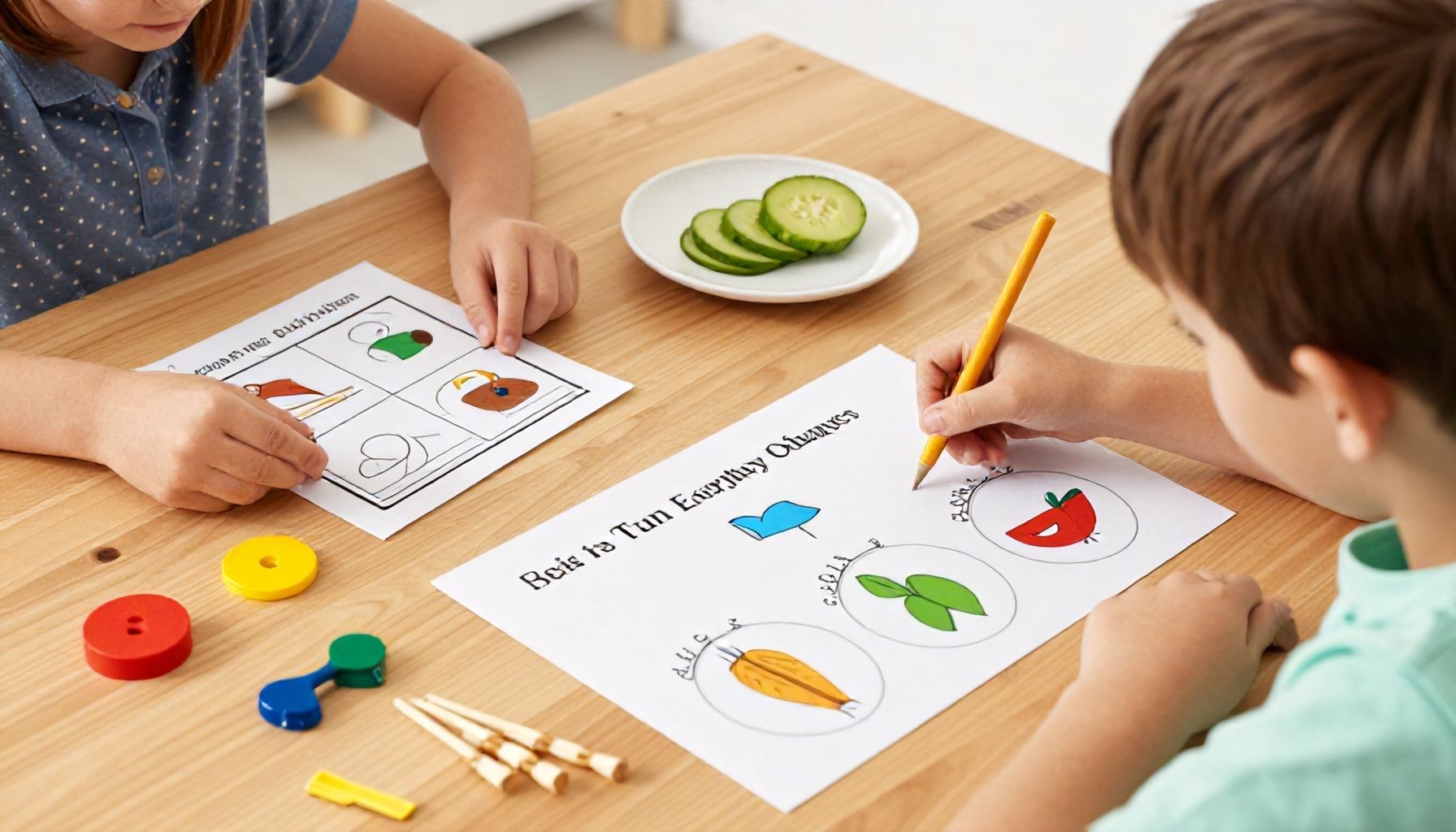
I’ve seen parents spend a fortune on fancy educational toys, only to watch their kids lose interest after five minutes. The truth? The best learning tools are often the ones already sitting in your kitchen or junk drawer. Here’s how to turn everyday objects into free, fun learning games for kids—no fancy gadgets required.
1. The Penny Drop Math Game
Grab a glass, a stack of pennies, and a ruler. Have your kid drop pennies from different heights and measure how far they roll. Older kids can calculate averages; younger ones can just count. I’ve seen this turn into a full-blown science experiment in under 10 minutes.
| Height (inches) | Distance Rolled (inches) |
|---|---|
| 6 | 12 |
| 12 | 24 |
| 18 | 30 |
2. Sock Ball Bowling
Roll up old socks into balls, set up empty water bottles as pins, and let the bowling tournament begin. Add a scorecard to practice addition. Pro tip: Use a laundry basket as the “alley” to keep things tidy.
- 10 pins = 10 points
- Knock down 5 pins = 5 points
- Strike (all pins) = 20 points
3. DIY Memory Match
Flip over two identical spoons, bottle caps, or even socks. Kids flip them to find matches. Start with 4 pairs for little ones, up to 12 for older kids. I’ve used this at birthday parties—zero prep, endless entertainment.
4. Cardboard Box Fort + Storytelling
Every kid loves a fort. Add a flashlight and a few stuffed animals, and suddenly they’re writing their own adventure. No script needed—just imagination.
5. Spice Jar Sound Shakers
Fill empty spice jars with rice, beans, or beads. Kids shake them to guess what’s inside. Great for sensory play and early science.
6. Tape Roadway Races
Use masking tape to create roads on the floor. Toy cars zoom, but add a “speed limit” sign (a drawn-on piece of paper) to teach rules. I’ve seen kids spend hours perfecting their traffic system.
7. Laundry Basket Basketball
Crumple up paper into balls and shoot them into a laundry basket. Keep score or just play for fun. Bonus: The paper goes straight into recycling.
8. Puzzle Piece Hunt
Hide puzzle pieces around the room. Kids find them, then assemble the puzzle. Works for any age—just adjust the complexity.
9. Sticker Sorting
Dump a box of random stickers onto a table. Have kids sort them by color, size, or theme. Simple but sneaky math and logic practice.
10. Flashlight Shadow Puppets
Turn off the lights, shine a flashlight on the wall, and make shadow animals. Older kids can tell stories with them. I’ve done this at sleepovers—zero cost, maximum fun.
The key? Keep it loose. Kids don’t need perfection—they need creativity. And if all else fails, a cardboard box and a marker can solve 90% of boredom problems.
The Ultimate List of Free Apps That Make Learning Feel Like Playtime*
I’ve spent two decades watching kids’ gaming trends, and let me tell you—this is the golden age of free, educational apps that don’t feel like homework. These aren’t your grandma’s flashcards. We’re talking games so engaging, your kid won’t realize they’re learning. Here’s the ultimate list of apps that turn screen time into skill-building time.
1. Prodigy Math Game – A fantasy RPG where kids solve math problems to cast spells. Over 90 million players can’t be wrong. (Ages 6-14)
2. Duolingo Kids – The bite-sized language lessons work like a game. My niece learned Spanish faster than I did in high school. (Ages 3-10)
3. Khan Academy Kids – A full curriculum disguised as play. Think PBS meets Minecraft. (Ages 2-8)
4. Endless Alphabet – Monster-themed wordplay that’s weirdly addictive. (Ages 3-6)
5. Sago Mini World – Open-ended creativity with no ads. Worth every penny (or none, since it’s free). (Ages 2-5)
6. PBS Kids Games – Classic characters teach reading, science, and problem-solving. (Ages 3-8)
7. Lightbot Jr. – Coding logic for little ones. Simple, smart, and sneaky educational. (Ages 4-8)
8. Toca Life World – A digital dollhouse for imaginative play. (Ages 4-9)
9. NASA Kids’ Club – Space exploration meets interactive learning. (Ages 5-12)
10. ScratchJr – Coding for kids who can’t read yet. I’ve seen 5-year-olds build animations. (Ages 5-7)
Bonus: Free Offline Options
- Anki – Flashcards with spaced repetition. Great for memorization.
- Libby – Free e-books and audiobooks from your local library.
- Google Arts & Culture – Virtual museum tours and history games.
Pro Tip: Rotate apps weekly to keep things fresh. Kids get bored faster than I do with deadlines.
Warning: Some “free” apps have in-app purchases. Always check settings first. (I’ve seen parents spend $200 on virtual coins before breakfast.)
Final Thought: The best apps blend learning and play so seamlessly, kids don’t notice the difference. And neither will you—until their report card arrives.
Games are a fantastic way for kids to learn while having fun, and the best part is that they don’t have to cost a thing! From educational apps to creative DIY activities, there’s no shortage of free options to spark curiosity and develop skills. Whether your child loves puzzles, storytelling, or hands-on crafts, these games make learning feel effortless and exciting.
Here’s a final tip: Encourage your child to take breaks and explore different types of games to keep their interest fresh. The key is balance—fun should always come first, but the learning will follow naturally.
What’s one game your child loves that you’d love to see more of? Let us know—we’re always looking for new ideas to share!